

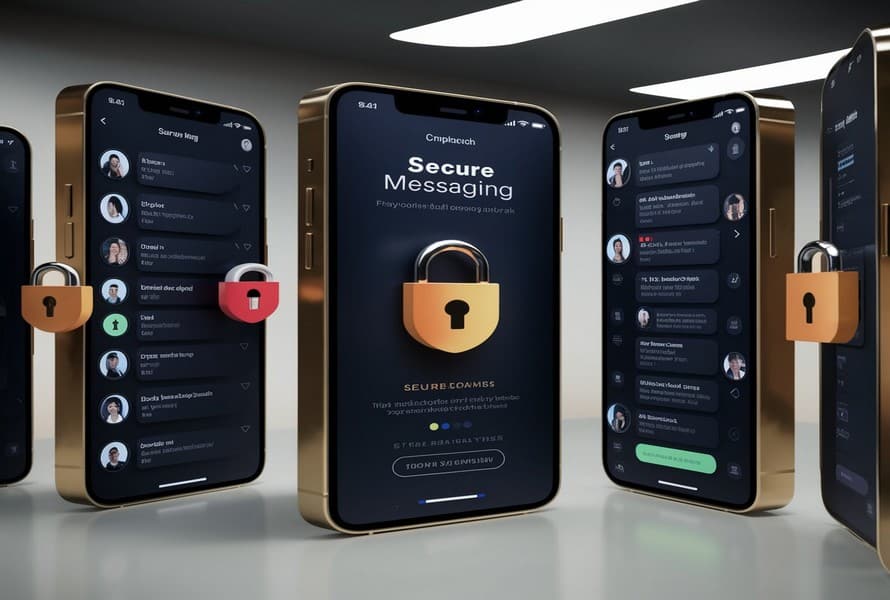
The modern digital landscape relies heavily on instant communication. Whether connecting with coworkers on professional collaboration tools, sharing personal updates with family members via messaging software, or meeting new individuals in gaming lobbies, digital conversation is a fundamental aspect of daily life. However, this seamless connectivity introduces significant risks to personal data and digital identity. Every text message, multimedia file, and shared link can potentially be intercepted, archived, or exploited by malicious actors if proper safeguards are absent.
Adopting safe chatting practices is no longer a niche concern for cybersecurity experts; it is a vital life skill for anyone navigating the internet. Understanding how information travels through digital networks and recognizing the psychological tactics used by cybercriminals allows individuals to erect powerful defenses around their digital lives. Implementing these behavioral and technical strategies preserves privacy, shields financial assets, and ensures that online interactions remain safe and constructive.
The Foundations of Secure Digital Communication
To comprehend the importance of safe chatting, one must first recognize the technical vulnerabilities inherent in digital messaging. When a message is sent, it does not simply jump directly from one device to another. It travels through routers, internet service providers, and central servers managed by the application platform. Without intentional safeguards, this data trail remains vulnerable to surveillance, data breaches, and unauthorized harvesting.
The Role of End-to-End Encryption
The single most critical technical safeguard for online conversations is end-to-end encryption. This security protocol ensures that data is scrambled at the sender level and can only be unscrambled by the intended recipient. Even if a cybercriminal manages to intercept the data stream mid-transit, or if the messaging platform itself suffers a server breach, the captured data appears as unreadable gibberish. Utilizing applications that enforce this protocol by default ensures that private conversations remain strictly confidential.
Metadata Exposure and Data Retention Policies
While the content of an encrypted message may be secure, metadata can still expose significant personal details. Metadata refers to the structural data surrounding a message, including timestamps, geographical location data, the identity of the communicating parties, and the frequency of interaction. Many companies log this information to build comprehensive consumer profiles or sell targeted advertising. Safe communication requires analyzing the data retention policies of the applications in use and opting for platforms that minimize metadata collection.
Recognizing Behavioral Threats and Social Engineering
While technical infrastructure provides a strong baseline defense, the human element remains the weakest link in digital security. Cybercriminals frequently bypass cryptographic defenses entirely by manipulating users into voluntarily surrendering sensitive information through social engineering.
Phishing and Smishing in Chat Interfaces
Phishing involves fraudulent communications designed to trick victims into revealing sensitive data, such as passwords or credit card numbers. When conducted over short message service platforms or instant messaging apps, this tactic is commonly known as smishing. Within chat interfaces, these threats manifest as urgent requests from seemingly trusted entities. A hacker might impersonate a banking institution, a customer support representative, or even an acquaintance claiming to be in distress. These messages almost always contain an urgent call to action, demanding that the user click a link or download an attachment to resolve an immediate crisis.
Catfishing and Romance Scams
In social or dating applications, bad actors utilize emotional manipulation known as catfishing. Scammers construct elaborate, entirely fabricated online personas to build deep emotional bonds with targets over weeks or months. Once trust is firmly established, the scammer introduces financial emergencies, travel issues, or fraudulent investment opportunities, exploiting the emotional bond to extract significant sums of money. Safe chatting requires a healthy degree of skepticism when interacting with individuals whose identities cannot be independently verified outside the chat interface.
Strategic Habits for Shielding Personal Information
Mitigating the risks of online communication requires a combination of technical configurations and disciplined behavioral habits. Implementing a structured approach to chat security reduces the digital footprint and limits vulnerability to opportunistic attacks.
Implementing Granular Privacy Settings
Most messaging applications are configured by default to maximize visibility and user connectivity. Securing an account requires manually adjusting these parameters to restrict access.
-
Limit Profile Visibility: Adjust settings so that profile photos, status updates, and biological details are visible only to verified contacts rather than the general public.
-
Disable Read Receipts and Activity Status: Turning off features that broadcast when a message was read or when an account was last online prevents bad actors from mapping out daily behavioral routines or tracking responsiveness.
-
Restrict Group Invitations: Configure chat settings to prevent random or unverified accounts from automatically adding your profile to large, unmoderated group chats, which are frequently used to distribute spam and malware.
Verification and Media Discretion
A fundamental rule of safe chatting is to treat all unsolicited multimedia files and links with extreme caution. Files ending in executable extensions can silently install spyware, keyloggers, or ransomware onto a device. Furthermore, photos and videos shared in casual conversations often contain hidden data, such as embedded global positioning system coordinates, revealing exactly where the photo was taken. Cultivating the habit of scrubbing metadata from media files before transmission prevents accidental location leaks.
Utilizing Ephemeral Messaging
For highly sensitive conversations, ephemeral messaging—commonly known as disappearing or self-destructing messages—adds a layer of protective insurance. Setting messages to automatically delete from both devices after a specified duration ensures that even if a physical device is lost, stolen, or compromised in the future, the historical log of the conversation no longer exists.
Professional vs. Personal Chat Environments
The boundaries between personal and professional communication have blurred due to remote work environments. This consolidation introduces unique challenges, as a security lapse on a personal messaging application can jeopardize an entire corporate network.
In corporate environments, chat platforms like Slack, Microsoft Teams, or Google Chat are governed by institutional compliance and retention policies. Employees must assume that employer-managed platforms are monitored and that conversations are archived permanently. Sharing proprietary source code, trade secrets, client data, or internal administrative passwords within casual workplace chat channels bypasses corporate access controls and leaves sensitive institutional information vulnerable during a company data breach. Keeping professional discussions strictly aligned with corporate security guidelines while conducting personal conversations on separate, secure consumer platforms prevents cross-contamination of digital vulnerabilities.
Frequently Asked Questions
What makes an application truly secure for text messaging?
A truly secure messaging application must feature open-source, independently audited end-to-end encryption protocols by default. This means that nobody, including the developer of the application, can view the contents of the messages. Additionally, the platform should require minimal personal information during registration, collect zero metadata, and store no message history on centralized cloud servers.
How can I verify that the person I am messaging is actually who they claim to be?
The most reliable method is to establish an out-of-band verification process. This involves contacting the individual through a separate, verified communication channel, such as a direct phone call, an in-person meeting, or a trusted video platform, to confirm their digital handle or account identity. In advanced secure applications, users can manually compare digital safety numbers or cryptographic key fingerprints displayed within the app interface to confirm that no third-party interception is occurring.
Is it safe to chat while connected to public wireless networks?
Using public wireless networks, such as those found in coffee shops, airports, or hotels, exposes traffic to interception by malicious actors sharing the same network. If the messaging application uses robust end-to-end encryption, the text content remains shielded. However, unencrypted elements, metadata, and general device traffic can still be captured. To chat safely on public networks, always route all device traffic through a reputable Virtual Private Network, which creates a secure, encrypted tunnel through the public network.
Can a cybercriminal hack a device simply by sending a message?
Yes, this is possible through advanced security vulnerabilities known as zero-click exploits. In these rare scenarios, highly sophisticated malware is embedded within a media file or a specific data packet. When the messaging application automatically processes or renders the incoming file, the malicious code executes in the background without requiring the user to click a link or open an attachment. Keeping both the messaging software and the device operating system updated to the latest versions patch these vulnerabilities before they can be widely exploited.
What should I do if I accidentally click a suspicious link in a chat?
If a suspicious link is clicked, immediately disconnect the device from the internet by enabling airplane mode or turning off the wireless router to halt data exfiltration. Close the browser tab or application immediately. Check the device downloads folder for unauthorized files and delete them. Run a comprehensive scan using legitimate anti-malware software, and proactively update the credentials for critical accounts, including banking, email, and primary chat applications, from an entirely separate, secure device.
Why do some secure chat applications require a phone number for registration?
Many messaging applications utilize phone numbers as a convenient mechanism to verify identity via short message services, prevent automated bot creation, and allow users to sync existing contact lists seamlessly. However, this design choice introduces privacy trade-offs, as phone numbers can be linked back to real-world identities through public records or data leaks. Privacy-focused alternatives increasingly allow users to register using unique, anonymous alphanumeric user identifiers or decentralized cryptographic addresses instead of phone numbers.